
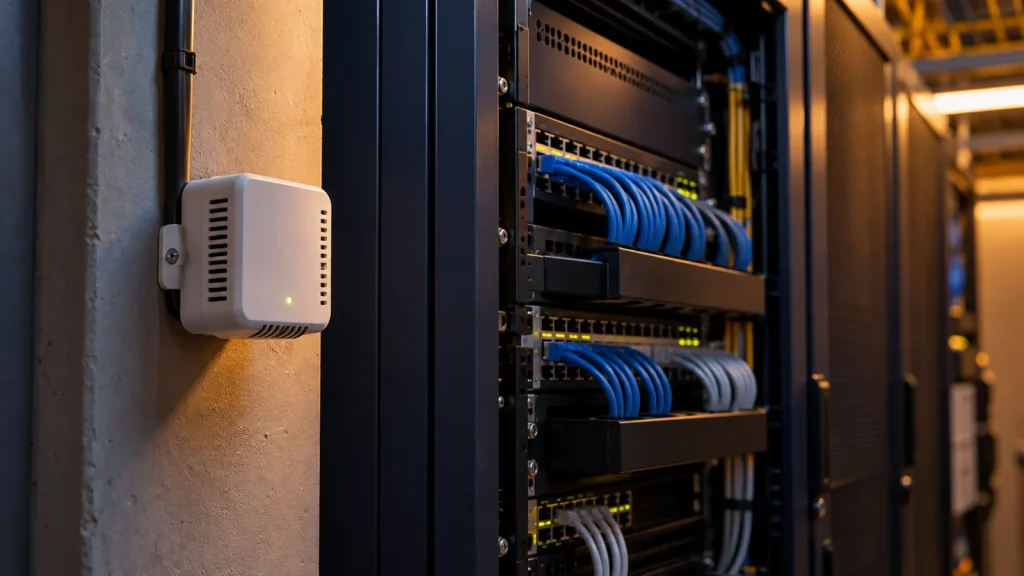
A monitoring system consists of a sensor, a communication path, software and someone responsible for responding. Before expanding it, test its behavior when the connection drops and when conditions change.
Start from the job to be done
To explain the Internet of Things, take a hypothetical equipment room. We want the maintenance person to know if the temperature rises above a set range. For that we need a sensor, but buying a sensor is only part of the story. The temperature logging interval, where the alert goes and what is done once it arrives must also be clear.
The Internet of Things, or IoT, concerns devices that take data from their surroundings or act on them. Sensor, network and software work together. Not every device necessarily connects to the public internet on its own; it may send data through a local network and an intermediary.
Follow the path the data takes
In the equipment-room example, data goes from the sensor to somewhere that stores or displays it and, when needed, creates an alert. To choose between wired and wireless communication, we must know where the devices are, the distances, the power supply and the building's conditions. A sensor that sends one number every few minutes does not have the same need as a device that continuously transmits bulky data.
For a wired path, the device interface and the cable specifications matter. For a wireless path, coverage must be tested on site. Next comes compatibility between device and software; before buying, ask how the two work together. Optical fiber may be part of the network infrastructure without every sensor connecting directly to fiber.
When the connection drops
Now, in the same example, suppose the network connection drops. Does the sensor keep measuring? Does the data stay on the device? When the network returns, is the earlier data sent? And most importantly, does the maintenance person notice the outage? The answers depend on the device and software you choose.
It is best to see and record this behavior in a controlled test before expanding the system. If a device also issues control commands, its behavior in a power or communication loss must be clarified with the technical lead. A small trial system helps answer these questions before a large purchase.
Someone has to be responsible for maintenance
The work is not finished after installation. Someone must handle the alerts, know the settings and know how to update or replace a device. Look at the cost of communication, software and looking after the devices alongside the purchase price.
NIST's guidance on IoT devices raises subjects such as device identification, access control, data protection and updates. In a conversation with a vendor you can ask simply: who has access to the settings, where is the data stored, and how long will software support continue?
If you plan to start such a project, first choose one specific use and a small scope. Write down what data you need, who it has to reach and what you expect from the system in case of a disruption. With that short description, choosing equipment starts to make sense.
Think about security from the moment you pick the device
When choosing a device, ask how each sensor is identified, who is allowed to change its settings and how its software is updated. The NISTIR 8259A guidance sets out capabilities such as device identification, access control, data protection and software updates as a security baseline.
For the equipment-room example, keep a list of devices and their software versions; give management access only to responsible people and define how to change a password or hand a device over. The exact settings must match the organization's security policy and the manufacturer's capabilities.
A small test before building out the system
- Choose one monitoring point: Record where the sensor is installed and why, so the data can be interpreted.
- Test the alert path: A test change of state must reach the responsible person, and the time it was received should be recorded.
- Simulate a connection loss: In coordination with the network lead, see the loss of connection and how it recovers.
- Document the result: Keep the measurement interval, alert setting and the person responsible for maintenance on file.
Take the allowed temperature or humidity range from the requirements of that room's equipment; one general number does not suit every room and every device.
What role do network cable and fiber play in this example?
If the device interface is Ethernet, is one of the families whose specifications you can check. Choosing the name CAT6 does not confirm that the sensor supports Ethernet or PoE power; the device's required interface and power must be established separately.
For optical links between network equipment, and for tidying rack connections, are relevant to the subject. These items are not sensors or monitoring software; they play a role in the system's communication path.
Frequently asked questions
Do all sensors have to connect to the public internet?
No. Depending on the architecture, data can be processed and passed on within the local network or through a gateway. The need for outside access should be made clear.
Is CAT6 cable suitable for every IoT sensor?
No. A sensor may have a wireless interface or another wired interface. First check the interface type, the route length, the installation conditions and the power requirement.
What happens to the data when the network goes down?
It depends on the device's and software's capabilities. Check local storage, resending and a connection-loss alert in the initial test.
Products related to this topic
These products relate to the communication infrastructure in the example. Choosing them does not mean supplying sensors or monitoring software, or compatibility with any IoT device.
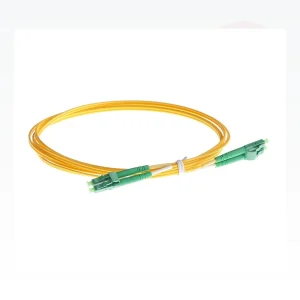
fiber optic patch cord
For connecting equipment that has an optical port; a sensor is not necessarily connected directly to the fiber.
Price: ask sales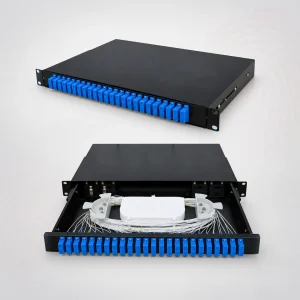
fiber optic patch panel
For organizing a rack's optical connections and recording routes in the maintenance documents.
Price: ask sales